
Essential Computer Security:
Everyone’s Guide to E-Mail, Internet, and Wireless Security
by Julie M. Willingham
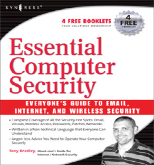
Author: Tony Bradley, CISSP-ISSAP Released: October, 2006 Pages: 302 $29.95 USD, $38.95 CND ISBN: 1-597-49114-4 Link: http://www.syngress.com/catalog/?pid=4130 New to intermediate Windows computer users at home or in a small office environment Strengths: Easy to read and understand; thorough yet not intimidating regarding the subjects it covers. Weaknesses: Definitely aimed at Windows users, though its most basic principles are relevant to all. However, I think a new Mac user would be underserved and overwhelmed by this book. Only Linux is mentioned as an alternative to Windows. |
|


Introduction
Based on its title and subtitle, I thought this would be a good book for me, a science-trained, casual computer user. (Certainly I qualify as an “everyone”.) But I use a Mac, and I was not pleased to read the fourth line of the table of contents, “Chapter 1 Basic Windows Security”. A few pages later I found “Chapter 12 Microsoft Alternatives”, only to find it subtitled “Inside the Linux Desktop”. Nonetheless, I started reading.
The Book Itself
Here is the table of contents that I found both discouraging and promising:
Part I Bare Essentials Chapter 1 Basic Windows Security Chapter 2 Passwords Chapter 3 Viruses, Worms, and Other Malware Chapter 4 Patching Part II More Essential Security Chapter 5 Perimeter Security Chapter 6 E-mail Security Chapter 7 WebSurfing Privacy and Safety Chapter 8 Wireless Network Security Chapter 9 Spyware and Adware Part III Testing and Maintenance Chapter 10 Keeping Things Secure Chapter 11 When Disaster Strikes Chapter 12 Microsoft Alternatives: Inside the Linux Desktop Part IV Security Resources Appendix A Essential Network Communications Appendix B Case Study: SOHO (Five Computers, Printer, Servers, etc.) Appendix C Glossary of Technology and Terminology Index |
Chapter 1 “Basic Windows Security” briefly addressed malware, weak passwords, physical security, and “network neighbors”, subjects that do apply to Mac users, as well as many things that do not apply to us.
I avidly read chapters 2, 6, and 7. There were simple but thorough discussions on choosing passwords, firewalls/routers/ports, spambots and spybots, and Internet safety. After reading this book, I changed some of my passwords to make them more secure. Even though I don’t have wireless, I read and understood Chapter 8 on wireless security. As a Mac user, I only skimmed the rest of the book.
I tested most of the websites mentioned in each chapter, and found that they linked properly. I was also able to view the 4 free “e-booklets”, each a chapter from a different Syngress book, after registering my book.
My biggest problem with this book is that the author states in his introduction “The goal of this book is to teach you enough about computer and network security for you to understand the potential threats and protect your computer from them … the fundamental concepts of computer security … apply to any platform.”
While I agree with this statement itself, I found that the author did not fully implement it. All the illustrations and examples were Windows-based, all the software mentioned was for Windows, and almost all of the “additional web resources” did not apply to Macs. A new user of Windows XP would find this book very useful for electronically protecting a new home or office computer.
Conclusion
A new Mac user could learn the concepts in this book at their most basic level, but might be overwhelmed trying to apply them because there are no Mac-centric illustrations or examples in the book; neither are equivalent software packages mentioned, potentially leaving a new Mac user with a feeling of “So what can I do?”
The book thoroughly covers everything in its subtitle, but nowhere does the author mention that “everyone” does not include Mac users, so I must downgrade it.
