
CSS Cookbook, Second Edition
Reviewed by Mike Hubbartt
Author: Christopher Schmitt Publisher: O’Reilly www.oreilly.com Released: October 2006 Pages: 538 $44.99 USD (PDF is $22.49), $58.99 CND, £31.99 GBP ISBN-10: 0-596-52741-1 ISBN-13: 978-0-576-52741-9 Beginning/Intermediate Strengths: Loaded with great examples, excellent getting started section, and well written. Weaknesses: Would have enjoyed seeing Camino and other Mac-specific browsers covered. |
|

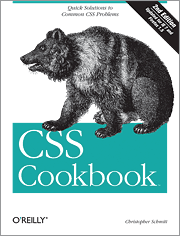

Some authors believe reference books are the best way to explain a subject. And that’s fine when I’m already comfortable with the subject and want something to fill in the gaps. For new subjects or areas I want help to fully grasp, I prefer a book that includes good examples. I’ve worked with CSS (Cascading Style Sheets) in the past and while I understand the topic, I was pleased to find Christopher Schmitt’s CSS Cookbook.
Introduction
CSS gives web designers better control of web page presentation. CSS is not new; it was introduced in 1996 and gained support as more browsers started to support it. O’Reilly’s first edition of this book - also authored by Schmitt - was released in August of 2004, although it was ½ the size of the second edition.
And why should you be interested in CSS? Not because it’s new and neat, but because of the control, or better put, more control over web content. And why should you want to read Schmitt’s book? Because he includes specific examples, not just CSS design theory. After all, don’t you want to experiment as you learn CSS?
Let’s take a look at the book.
Book Index
Chapter 1 – General Chapter 2 – Web Typography Chapter 3 – Images Chapter 4 – Page Elements Chapter 5 – Lists Chapter 6 – Links and Navigation Chapter 7 – Forms Chapter 8 – Tables Chapter 9 – Page Layouts Chapter 10 – Print Chapter 11 – Hacks, Workarounds, and Troubleshooting Chapter 12 – Designing with CSS Appendix A – Resources Appendix B – CSS 2.1 Properties and Proprietary Extensions Appendix C – CSS 2.1 Selectors, Pseudo-Classes, and Pseudo-Elements Appendix D – Styling of Form Elements |
Chapter 1 is the intro chapter, which covers the basics of CSS. CSS new comers will definitely want to start here. The materials are easy to follow and logically laid-out. Chapter 2 gets a bit more into web page layout, covering font size, positioning, formatting and styles – this chapter will appeal to people that have done desktop publishing.
Chapter 3 focuses on images. Learn how to add borders, use images as a background, overlaying text on images, and round image corners. I also liked the information on making images scaleable. Good information and clear examples. Chapter 4 addresses page elements, which set the presentation of your website. The items Schmitt covers in this chapter are: scrollbars, centering elements on pages, and adding borders and lightboxes. Like chapter 2, chapter 4 definitely appeals to people with desktop publishing background.
Chapter 5 covers lists: formatting and creating image markers for list items. Good information, although I’d prefer more than included in this fairly short chapter. Go to chapter 6 for information on links and navigation. I liked the explanation how to remove underlines from links, although I’ve never seen the need to change link colors (other than manually changing the font color). Changing the cursor is something I’ve not done before, but see how switching to a different cursor could work on some websites I’ve designed. The best examples I found in this chapter was the procedures to creating text navigation menus – both horizontal and vertical menus, Very useful, especially the collapsible menus sample.
Chapter 7 handles browser form rendering. This area covers styles for input forms (form that you’d use to order something, or fill out for an online survey), and an example you’ll want to try is the one that demonstrates how to create a Mac-style search field. Neat. I also liked the information on working with buttons with CSS, but my favorite parts of this chapter cover web design without tables – especially how to have a two column layout without tables (we hope you noticed that macCompanion went to a two column layout for the Columns section of the magazine starting this issue).
Chapter 8, a very good one, takes on tables. I’ve known some web developers that disdain tables, although you can do tables with CSS. Schmitt covers cell spacing, padding, borders, text styles, and alternate row colors. And you will want to experiment with the design sample demonstrating a decent web calendar.
Chapter 9 helps understand how to handle layouts. This is where to go to see how to stop using tables and nested tables to construct web pages. Whether you need one or multiple columns, this chapter covers the procedures to use CSS to create them. This chapter is gold and a must-read for web developers. Printing is a sore subject for many web developers. Chapter 10 tells how to create printer-friendly pages, which is important for sites that do not provide PDF downloads of their content. Valuable information and don’t skip it unless you feel you don’t need help wit this subject.
My overall favorite chapter in this book was Chapter 11 Hacks, Workarounds, and Troubleshooting. This chapter is the place to go when dealing with web applications that must support a mix of Netscape and IE browsers, including IE for Macs. It covers coding, diagnosing bugs versus browser issues, and how to test for problems. Very nice. Chapter 12 concludes with CSS design techniques aimed at common web development issues. Good information and thankfully not at the beginning of the book like I’ve seen in other web development texts.
Conclusion: I like this book and it stays on my reference bookshelf. The introduction material in the first few chapters will help CSS newcomers, and the wide array of problems with solutions make this book worthwhile for the bookcase or briefcase. While all of the content is good, my personal favorite chapters were Chapters 6 – 11 (yes, I really mean that). Schmitt doesn’t provide every code example you’ll need, but the numerous examples should help you create your own custom CSS code.
Recommendation: If you haven’t used CSS on your web site, you should. This book is an excellent guide for newcomers and experienced developers. Worth the money and a book sure to stay on your bookshelf, at least until O’Reilly releases the third edition.
