
Corporate Identity Creator 1.5
Reviewed by Robert Pritchett
Laughingbird Software, LLC 2510 Worth Way Camarillo, CA 93012 1-805-386-1616 http://www.laughingbirdsoftware.com/ Released: December 2006. $40 USD Forum: http://www.logodesignforum.com Tutorials: http://www.cicreator.com/tutorials.html Audience: Corporate Identity Makers Strengths: Cross-platform. Stable. Functional. |
|

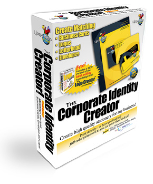

Working on the next phase of using tools for establishing a corporate image, we now go to Laughingbird Software for the Corporate Identity Creator to establish some quick&dirty stationary.
At first I figured this would be nice to have, since we are working on the Ever-Green Renewable Energy Resource Center project. And the app met expectations.
Laughingbird Software agreed to advertise in our magazine for both June and July of this year and I just happened to notice that besides the Logo Creator, the Web Graphics Creator, they also have the Corporate Identity Creator.
If you read my experiences with the Web Graphics Creator,
you already know that I discovered that they like to use Macromedia Director MX
2004 as the base engine on which to develop apps and they rely heavily on Flash
technology.
Sure enough, when I went to Get Info, I was not surprised this time to see the same thing.
And just like The Logo Creator, the application is found not under Corporate Identity Creator but rather, The Corporate Identity Creator.

After importing graphics and adding them to one of around 94 different templates for stationary design, I then was able to go in and tweak the text, color and then save as either JPEG, TIFF or PDF.

To print, the program menus give options to go online and use Internet services for printing stationary. Inside the program itself, there are other options.
For fonts, there are not a whole lot of options. I wanted Apple Chancery, but this is a Flash app basically and the fonts are rather basic. I would have liked the program to access my font library so I have a consistent look and feel. Each field is all or none regarding color.
To begin, the red Make a new Corporate Identity button needs to be used. Or if you have existing Corporate Identities, the View, Edit or Delete icons can be pressed. I had to start over with the EGRERC stationary because the app kept shutting down when I tried to edit it. I don’t think it liked the way I named it by adding a dash in the name and it got confused.
I may be wrong,
but that seems to be what happened to me.
The Preview Area doesn’t give you a whole lot to look at and it is not expandable either. To “Publish” one of the three pieces of stationary, the choice is to click on each one and Publish or do the Publish CI to have three separate files appear with a file extended of FrontCard_All, RearCard_All, Letter All and Envelope_All.
To do PDFs, it uses the program makePDF instead of using the Print function in Mac OS X. With a Mac, why bother with a separate PDF program?

In this particular instance, the back of the card is blank because of the template I picked.

After some tweaking, the envelope looks like this;
And after some more tweaking because the PDF “What you See is What You Get” was not what I got (website address bleedover), the Letterhead now looks like this;
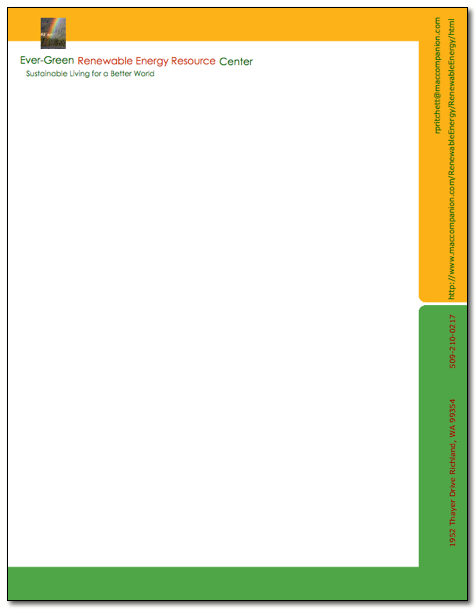
Now when this project gets real, I can change the address and Email info once and it should be good to go with this program.
The Admin.osx part of the program could use some tweaking of its own as well. When it first comes up, the text is stacked on itself until the program reformats and sorts itself out. It seems to be a work-in-progress.
It won’t take long to become proficient with this program. It just needs to learn to play nicer with the other apps from Laughingbird Software and perhaps recognize Adobe CS3 when that is also installed on a machine.
